
USE CASES / PASSPORT AND TRAVEL AI FORM FILLER
Fill Passport and Travel Forms Faster and Get Them Right Before You Reach the Counter
Passport applications rarely fail on eligibility. They fail on details. Simplicity AI works out whether your situation calls for the DS-11 or the DS-82, fills it from one set of family details, and prints it ready to take in. You sign it when the acceptance agent asks you to, not before.
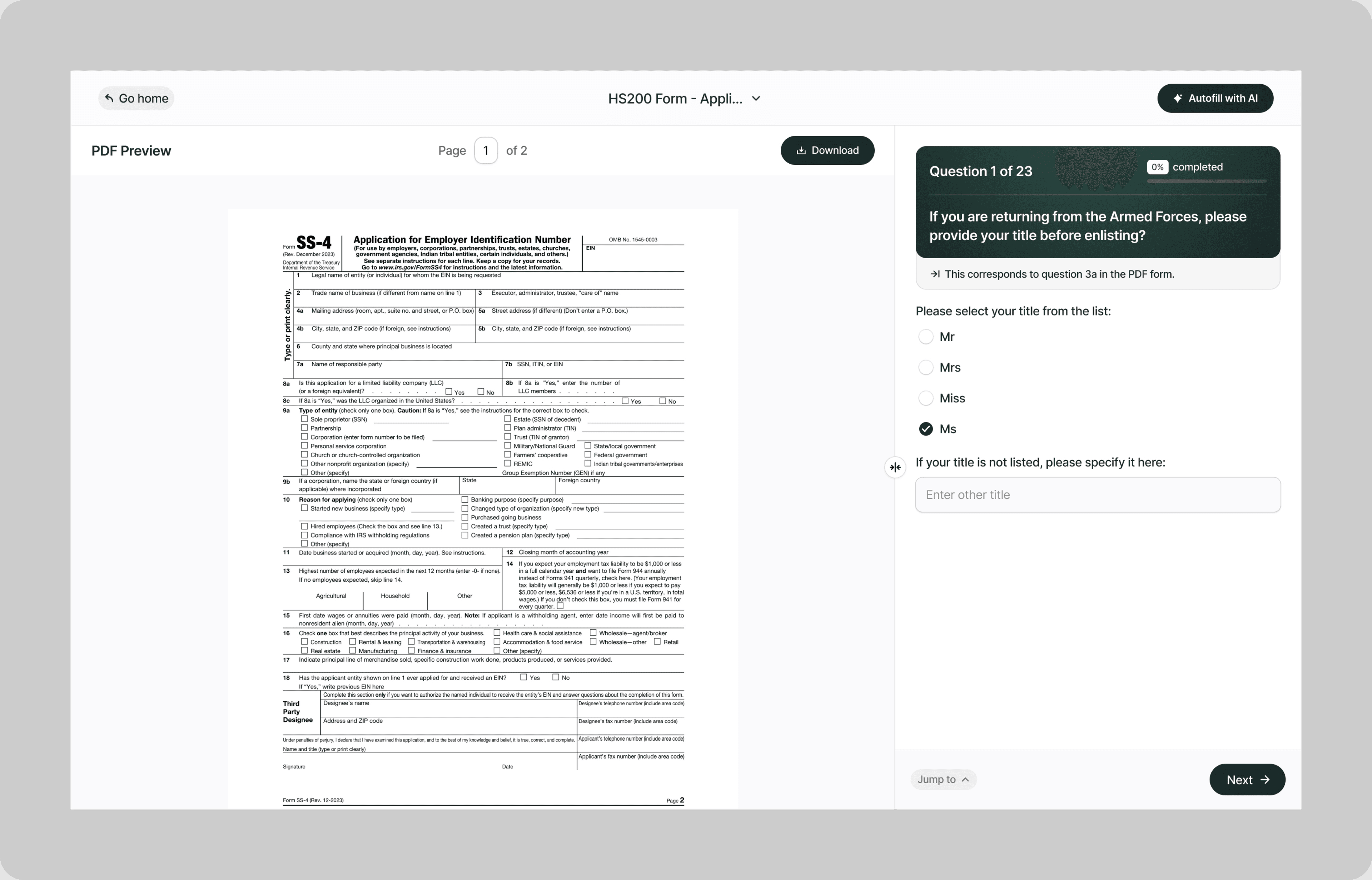
A passport application is not difficult, it is unforgiving. There is one form for first-time applicants and a different one for renewals, a set of conditions that decides which, and in many cases a counter appointment where a missing photocopy or a signature in the wrong place sends you home.
Simplicity AI works out which form your situation calls for, fills it from details your household enters once, and prints it the way the counter expects. Where a form has to be signed in front of an agent, it tells you so rather than signing it for you.
The Problem with Passport and Travel Forms
- Passport paperwork punishes small mistakes rather than big ones:
- Which form you need depends on six separate conditions about your last passport, and most people check two of them
- A child under 16 needs both parents present, which is a scheduling problem before it is a paperwork one
- The DS-11 has to be printed single-sided and left unsigned until an agent asks for the signature
- It is done in person, so a missing document costs you another appointment rather than another email
None of this is hard. It is that every part of it has to be right at the same moment, in a room, with a queue behind you.
How Simplicity AI Solves It
- Simplicity AI turns a passport application into something you finish before you leave the house. The AI:
- Asks about your last passport and works out whether you need the DS-11 or the DS-82
- Fills the form from one set of household details, so two parents and two children is not the same address typed four times
- Flags the forms a second parent has to sign, and the ones that have to be notarized
- Exports the form the way it has to be submitted, including single-sided printing where the form requires it
- Tells you which signatures to leave blank until you are standing at the counter
How to Fill Out Passport and Travel Forms Online Using Simplicity AI
1
Tell Simplicity AI about your last passport, or upload the form if you already know which one you need.
2
Enter your details once. For a household, the shared address and travel plans carry across every application.
3
Answer the questions the form asks, in plain English rather than in State Department wording.
4
Sign only where the form allows it. Simplicity AI signs a DS-82 or DS-5504 in the browser, and deliberately leaves the DS-11 signature blank for the acceptance agent.
5
Print it or post it, depending on the form. Simplicity AI exports the DS-11 single-sided, because that is how it has to be submitted.
Key Benefits of Using Simplicity AI to Fill Passport and Travel Forms

The Right Form, Before You Start
Six conditions decide whether you can renew by mail. Simplicity AI asks about your last passport and settles the question, rather than leaving you to work it out from a government page.

One Household, One Set of Details
A shared address, the same travel plans, the same emergency contact. Enter them once and they appear on every application in the house rather than four times over.

Signatures in the Right Place
Simplicity AI signs what you are allowed to sign and leaves the DS-11 blank for the acceptance agent. It is a small thing, and it is the thing that sends people home.

Printed the Way It Has to Be
The DS-11 must be printed single-sided. Simplicity AI exports it that way, so the copy in your hand is the copy the counter will accept.
Get the forms right at the kitchen table, not at the counter.
FAQs
Frequently Asked Questions About Filling Passport and Travel Forms with AI
Do I need the DS-11 or the DS-82?
Use the DS-82 to renew by mail only if all six conditions are true: you can submit your most recent passport, it has never been reported lost or stolen, it was issued within the last 15 years, it was issued when you were age 16 or older and was valid for 10 years, it is in your current name or you can document the change, and it is undamaged beyond normal wear and tear. If any one of those is not true, you apply in person on the DS-11.
Can I sign my DS-11 at home?
No. The State Department instruction is “Do not sign your form until asked to do so by a passport acceptance agent.” Fill the form in, print it, and sign it at the counter. Simplicity AI leaves that signature blank on purpose.
Can I renew my passport online instead?
Sometimes. The State Department says to renew online if you are eligible and are applying for routine service. The DS-82 route by mail stays available and is the one that covers expedited service, so which suits you depends on how soon you are traveling.
What does my child need?
Bring the child to an authorized passport acceptance facility in person, and both parents or guardians must be present. Passports for children under age 16 are valid for 5 years, against 10 years for an adult, so children come round again sooner than the rest of the household.
What if one parent cannot come to the appointment?
That parent completes Form DS-3053, and it has to be signed and dated in front of a certified notary public. It is then submitted with the child’s DS-11. If one parent cannot be located at all, Form DS-5525 covers that situation instead.
My passport was lost or stolen. What do I file?
Form DS-64 reports it, and you apply in person on a Form DS-11 to replace it. A passport that has been reported lost or stolen can never be renewed by mail afterwards, because never having been reported lost or stolen is one of the six DS-82 conditions.
I changed my name. Which form?
Two routes exist. Form DS-5504 covers name changes, data corrections, and replacing limited-validity passports, and you sign and date it after printing. The DS-82 also accepts a name change if you can provide a document such as a marriage certificate, divorce decree, or court order. Which one applies depends on your passport’s history, so answer the questions rather than guessing.
Is my family’s data safe on Simplicity AI?
Yes. These forms carry names, dates of birth, Social Security numbers, and travel plans for your whole household. Simplicity AI encrypts your files, controls who can access them, and never shares your documents or uses your data to train AI models.
Common Passport and Travel Form Mistakes (and How AI Prevents Them)
Signing the DS-11 before you get there
The State Department says “Do not sign your form until asked to do so by a passport acceptance agent.” A signed DS-11 is not a head start, it is a form the agent cannot take from you. Simplicity AI leaves that field blank deliberately.
Printing the DS-11 double-sided
The form has to be printed single-sided. It is the sort of detail nobody mentions until you are at the counter holding the wrong stack of paper, and it costs you the appointment.
Assuming you qualify to renew by mail
Six conditions have to be true at once for the DS-82, and most people check two of them. A passport that was once reported lost, or one issued before you turned 16, puts you back on the DS-11 and back in a queue.
Booking one appointment when both parents are needed
Both parents or guardians must be present with a child under 16. If one cannot attend, that parent has to sign a DS-3053 in front of a notary beforehand. Finding this out on the day costs you the slot and the trip.
Bringing the DS-3053 unnotarized
The consent form has to be signed and dated in front of a certified notary public. Filling it in perfectly and arriving with it unnotarized has the same outcome as not bringing it at all.
Forgetting that a child’s passport expires in five years
Adult passports run 10 years, a child’s runs 5. Households renew the adults on schedule, lose track of the children, and find out at the airport.
Filling four applications from memory
A household applying together shares an address, travel plans, and emergency contacts. Every retyped version is a chance for two of the forms to disagree with each other. Simplicity AI enters them once and carries them across every application.

Freelancer form AI filler
Popular Forms
Popular forms ready for you to fill Instantly
Find commonly used government, legal, and official documents, already optimized for fast, stress-free filling with Simplicity AI. We've made them easier, smarter, and faster so you can move on with your day.
Tax Forms
Immigration Forms
Healthcare Forms
Employment Forms
Legal Forms
Motor Vehicle Forms
Experience instant PDF form filling with AI
Developers
