
USE CASES / FREELANCER AND GIG WORKER AI FORM FILLER
Fill Freelancer and Gig Worker Forms Faster and Keep the Whole Tax Year Straight
A freelance year runs on a W-9 at the start of every client, 1099s that land in January, a Schedule C and a Schedule SE at filing, and estimated payments in between. Simplicity AI carries one set of details across all of them, so the same name and number appear everywhere they should.
Nobody withholds tax from a freelance payment. That one difference is what turns self-employment into a paperwork job. You handle the forms an employer would normally handle for you, and you handle them across the whole year rather than on a single day in April.
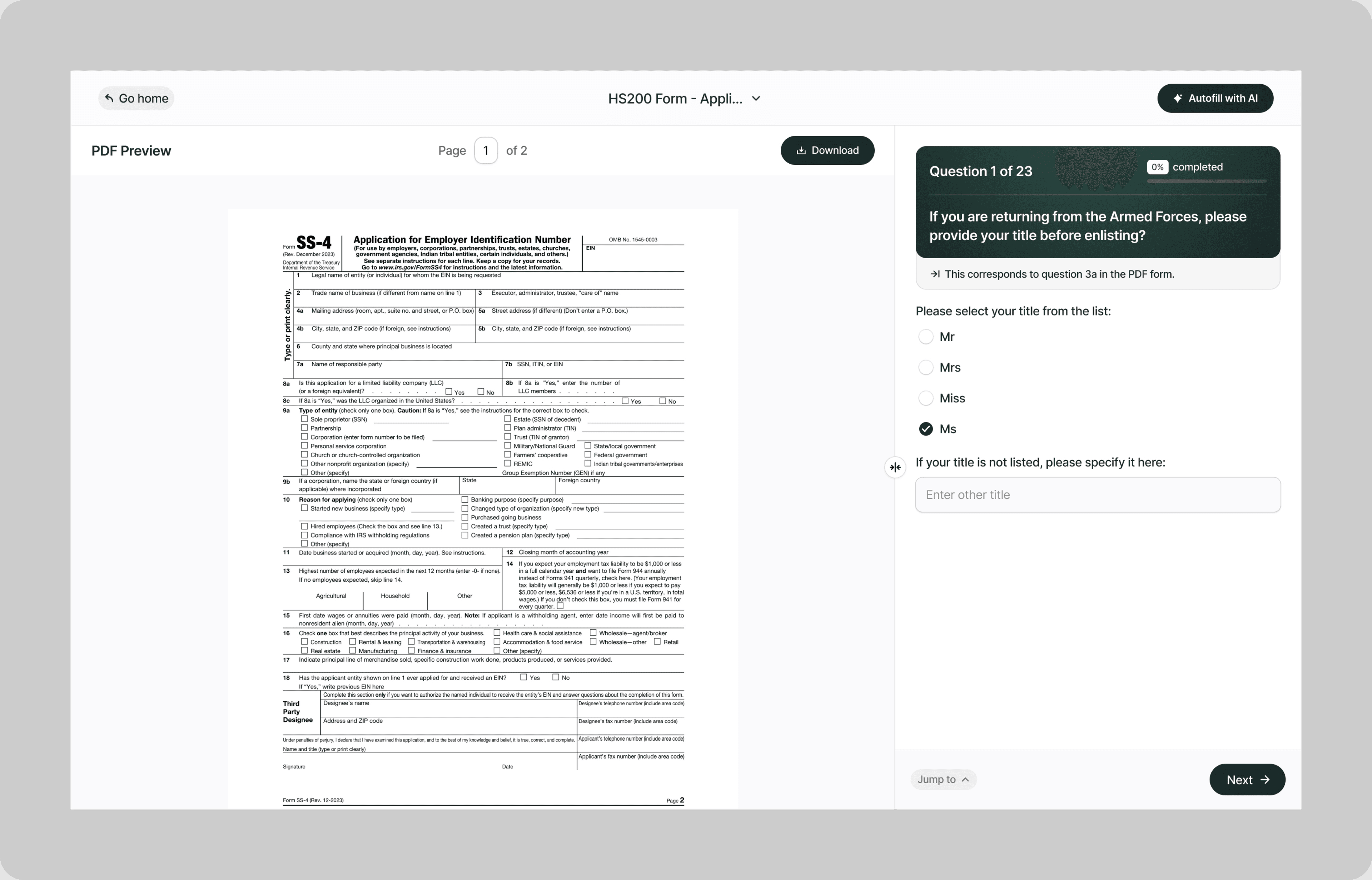
Simplicity AI reads each PDF and turns it into plain-English questions. Your legal name, taxpayer identification number, and business address go in once and carry onto every form, so the W-9 you send a client in March still matches the Schedule C you file the following year.
The Problem with Freelancer and Gig Worker Forms
- Nobody withholds anything for you, and the paperwork is spread across the whole year:
- A W-9 goes out at the start of every client relationship, and each one has to say exactly the same thing
- The 1099s arrive in January from clients and platforms, and you filled in none of them
- Whether a 1099 arrives at all does not change what you owe
- Tax is due in installments across the year rather than once in April, and nothing reminds you
Employees learn their tax position on payday. Freelancers learn it in April, by which point it is a bill rather than a decision.
How Simplicity AI Solves It
- Simplicity AI treats a freelance year as one job rather than six. The AI:
- Fills a W-9 for every new client from details you entered once
- Reads the 1099s that arrive, so the figures land on your Schedule C rather than in a drawer
- Turns Schedule C and Schedule SE into plain questions about what you earned and what you spent
- Prepares Form 1040-ES vouchers so a quarterly payment is a task rather than a research project
- Exports clean, signed PDFs to send to a client, keep, or hand to whoever files your return
How to Fill Out Freelancer and Gig Worker Forms Online Using Simplicity AI
1
Upload the form you need, or tell Simplicity AI where you are in the year and let it work out which one applies.
2
Enter your details once: legal name, taxpayer identification number, business address, and what you do.
3
Answer the questions the form asks, in plain English rather than in IRS wording.
4
Sign in the browser, so a W-9 is ready to send the moment a client asks for one.
5
Download a clean PDF to send to a client, keep for your records, or pass to whoever files your return.
Key Benefits of Using Simplicity AI to Fill Freelancer and Gig Worker Forms

One W-9, Every Client
Your legal name and taxpayer identification number go in once. Every new client gets the same details, so every 1099 that comes back in January agrees with the last one.

The 1099s You Receive Land Somewhere
Simplicity AI reads the figures from your 1099-NEC and 1099-K into the Schedule C where they belong, rather than leaving them in an email you have to find again.

Self-Employment Tax Worked Out, Not Guessed
Self-employment tax starts at $400 of net earnings and runs at 15.3 percent. Simplicity AI puts that on the page in front of you instead of leaving it for April.

Quarterly Payments as a Task
Form 1040-ES comes round four times a year. What you entered last time is still there, so each one takes minutes rather than an evening with a calculator.
Get the year’s paperwork under control before January arrives.
FAQs
Frequently Asked Questions About Filling Freelancer and Gig Worker Forms with AI
Do I fill out my own 1099-NEC?
No. The client who paid you files Form 1099-NEC and sends you a copy by January 31. What you fill in is the Form W-9 that gave them your legal name and taxpayer identification number in the first place.
What if I never receive a 1099?
You still owe the tax. A 1099 is a report someone else makes about money that was already yours. For payments made in 2026, a client only has to issue a 1099-NEC at $2,000 or more, and a platform only files a 1099-K above $20,000 and more than 200 transactions. A great deal of real freelance income falls under both lines.
When does a client have to send me a 1099-NEC?
For payments made in 2026, once they have paid you $2,000 or more across the year. The threshold was $600 for payments made before 2026 and was raised under the One, Big, Beautiful Bill.
What is the 1099-K threshold?
A payment platform files Form 1099-K when the gross amount paid to you exceeds $20,000 and the number of transactions exceeds 200. That threshold was reinstated retroactively, so it is considerably higher than the figures that were reported for the last few years.
Do I have to pay self-employment tax?
If your net earnings from self-employment are $400 or more, yes. The rate is 15.3 percent, made up of 12.4 percent for social security and 2.9 percent for Medicare. You can deduct the employer-equivalent portion when working out your adjusted gross income.
Do I need to make quarterly estimated payments?
If you expect to owe $1,000 or more when your return is filed, yes. The IRS says most people avoid a penalty by paying at least 90 percent of the tax for the current year, or 100 percent of the tax shown on the prior year return, whichever is smaller. Special rules apply to higher income taxpayers.
What is the difference between Schedule C and Schedule SE?
Schedule C works out your profit: income in, business expenses out. Schedule SE takes that profit and works out the self-employment tax owed on it. Both attach to your Form 1040, and the first feeds the second.
Is my data safe on Simplicity AI?
Yes. These forms carry your taxpayer identification number, your income, and your clients’ details. Simplicity AI encrypts your files, controls who can access them, and never shares your documents or uses your data to train AI models.
Common Freelancer and Gig Worker Form Mistakes (and How AI Prevents Them)
Assuming no 1099 means no tax
A 1099 reports income, it does not create it. Clients issue a 1099-NEC at $2,000 or more for payments made in 2026, and platforms file a 1099-K only above $20,000 and 200 transactions. Everything under those lines is still income, and your return still has to show it.
Sending a different W-9 to every client
Your legal name and taxpayer identification number have to match what the IRS holds, and match each other across every client you work with. When they do not, the 1099s that come back disagree, and sorting it out lands on you. Simplicity AI stores both once and fills every W-9 from them.
Leaving the W-9 until January
The W-9 is what makes the 1099 correct. Send it late or send it wrong, and January becomes a month of asking a client to reissue a form they have already filed with the IRS.
Filing Schedule C and forgetting Schedule SE
Schedule C shows the profit. Schedule SE is where the 15.3 percent actually lands, and it starts at just $400 of net earnings. First-year freelancers report the profit and miss the tax sitting on top of it.
Waiting until April to pay anything
Estimated tax is due across four payment periods, not in one go at the end. If you expect to owe $1,000 or more, paying nothing until April is how a manageable figure turns into a penalty on top of a bill.
Treating the platform figure as your profit
A 1099-K reports the gross amount that passed through the platform, before the platform’s fees and before any of your costs. Schedule C is where your business expenses come off. Take the 1099-K number as profit and you pay tax on money you never kept.
Keeping no copy of the W-9s you sent
You may need to show what you told a client, and when you told them. Simplicity AI exports a clean PDF of every completed form, so what you sent and what you kept are the same document.

Small business form AI filler
Popular Forms
Popular forms ready for you to fill Instantly
Find commonly used government, legal, and official documents, already optimized for fast, stress-free filling with Simplicity AI. We've made them easier, smarter, and faster so you can move on with your day.
Tax Forms
Immigration Forms
Healthcare Forms
Employment Forms
Legal Forms
Motor Vehicle Forms
Experience instant PDF form filling with AI
Developers
